 Episeed
Inside the workspace
Manuscript review workspace for peer review and self-review
Read a manuscript, annotate the PDF and keep review notes beside it in named review sessions. Optional AI assistance needs your approval before any text is shared.
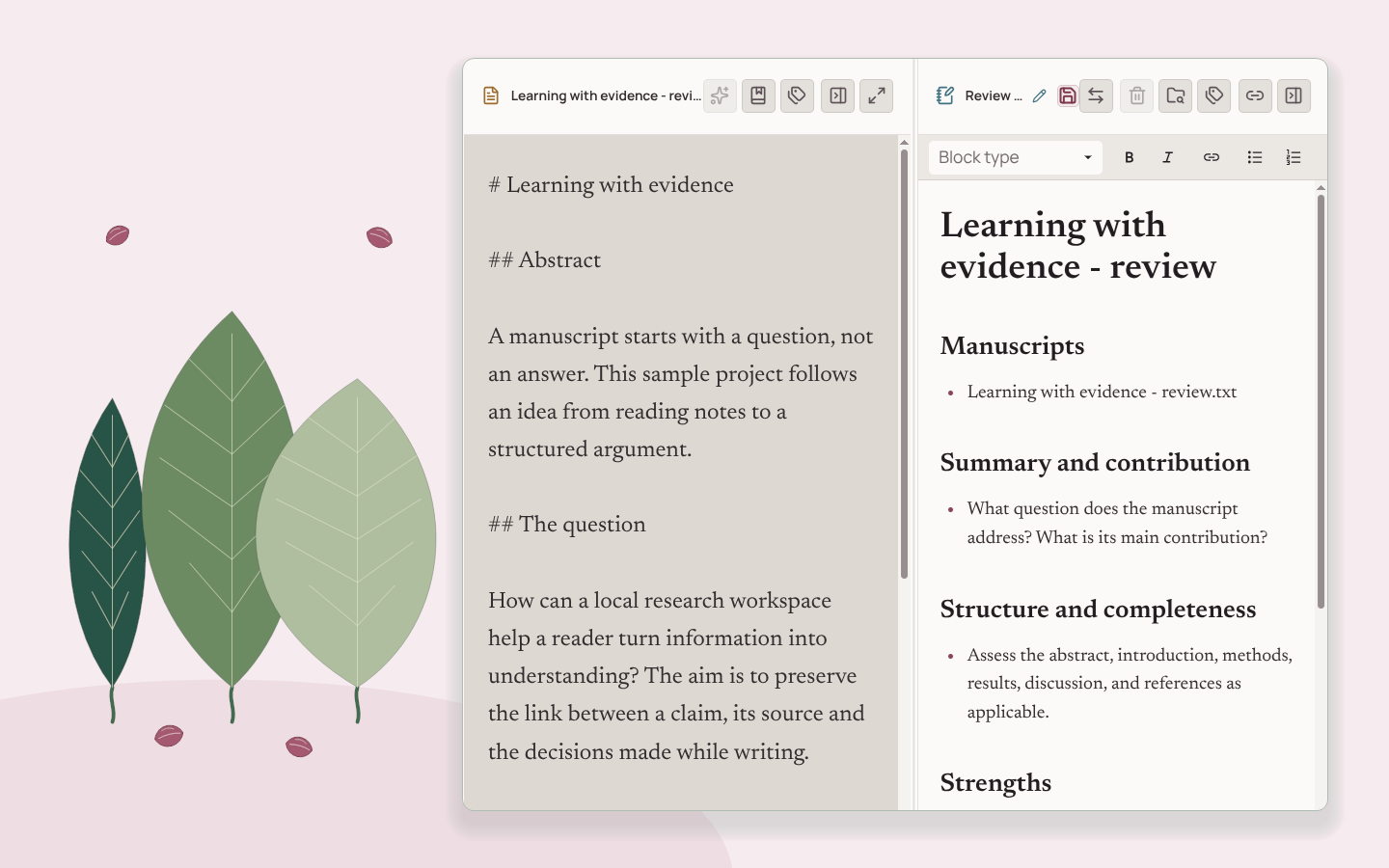
Episeed's Review workspace is a place to read a manuscript critically and keep your feedback beside the material it refers to. Use it for a peer review, a co-author's draft or a final check of your own paper before sharing it. Reading, annotating and note-taking work without AI.
Keep each review in its own session
A review session is named and saved. Add manuscript files from your computer, attach material already in your Library, or paste manuscript text. One session can hold several files, which helps when a submission arrives as a main text plus supplementary material.
You can save the journal's or discipline's requirements with the session, along with previous decisions and author responses. That context helps you judge the manuscript against its actual purpose rather than a generic idea of a good paper.
For a second round, reopen the saved session or start a separate one.
Read and annotate the PDF
The reader lets you navigate and search a PDF, change zoom, and add highlights, drawings, text and comments. Your review notes are linked to the manuscript and remain ordinary notes that you can also edit from the Library.
Place the panes side by side, resize them, or focus one when you need more room.
Write feedback an author can act on
Useful feedback keeps four things apart:
- What the manuscript claims.
- The passage or evidence behind your concern.
- Why it matters, and what would make it clearer or stronger.
- A question for the authors when the answer is not in the supplied material.
The peer review report guide turns that into a full report structure you can use with any tool.
Optional AI, with an approval step
After you configure and test a model in Settings, you can ask for help with a selected passage or prepare a review across the session's manuscripts. Before a request runs, check the selected agent, the model, the manuscript text and the sharing notice.
A completed whole-session review is organised into contribution, structure, strengths, major concerns, detailed comments, improvements, author questions and an overall assessment. Completed reviews keep an activity record with the model, scope and coverage. Failed or cancelled runs do not become a final review.
Treat the result as suggestions to check against the manuscript, not as a verdict.
Be careful with confidential manuscripts
A manuscript under peer review is usually confidential. A local model and a cloud provider have different data-sharing implications: a cloud request sends the approved text to that provider.
Check the journal's policy on AI tools before sharing any unpublished manuscript. When the policy or your own judgment says no, review without AI. The reader, annotations and notes do not depend on it.
Know the limits
Extracted PDF text is not the same as seeing every figure, table or scanned page. Check page and coverage warnings and inspect visual material yourself. Missing text does not mean missing evidence.
Review is an optional workspace: turn it on in Settings under Workspace settings. Windows is the first release platform, and the download section shows which installers are available. For how the rest of the workspace fits together, see connected research notes and the local-first workspace.

 Your work, on your desktop